Duty Calculator
Calculate import duty and tax with confidence. The Duty Calculator works out the import duty and tax for products within a country’s tariff. If you do not know the correct tariff code or country-specific product description, the search function helps you find the most suitable match before calculating your landed costs.
How to calculate landed cost. To calculate the landed cost of an item, complete the relevant fields shown below. You can calculate costs for either a single product or multiple products in one search.
Why this calculator is different. Unlike many other duty calculators, this tool uses each specified country’s own import valuation methods, helping you produce a more accurate landed cost calculation.

Getting Started
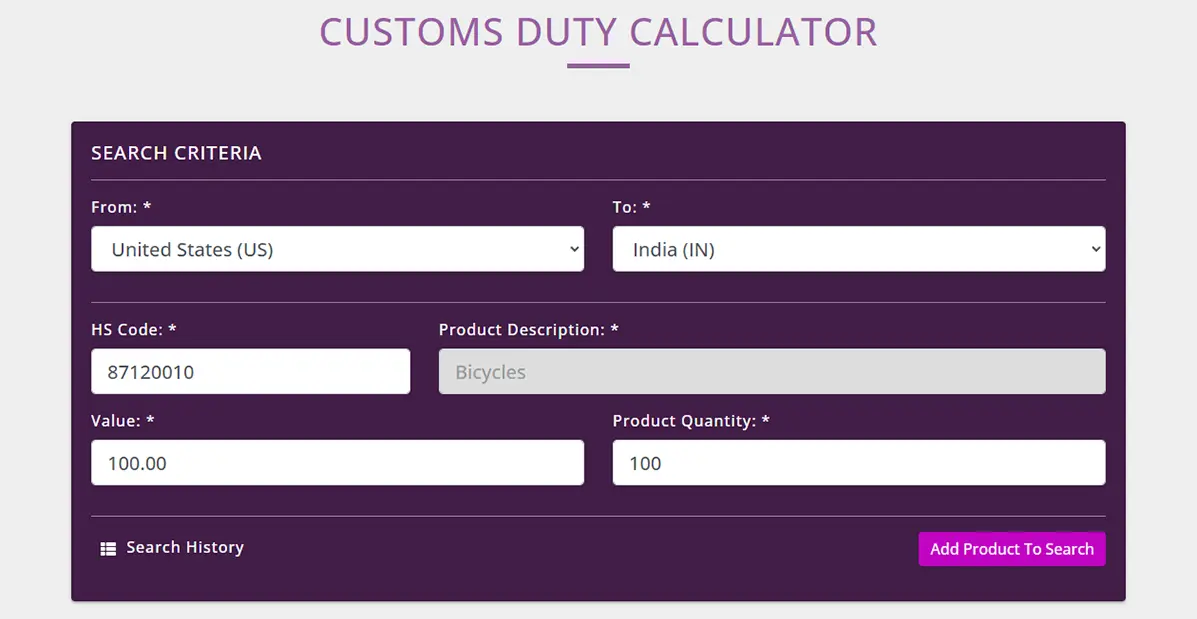
When you open the Duty Calculator, you'll be presented with the search screen shown below.
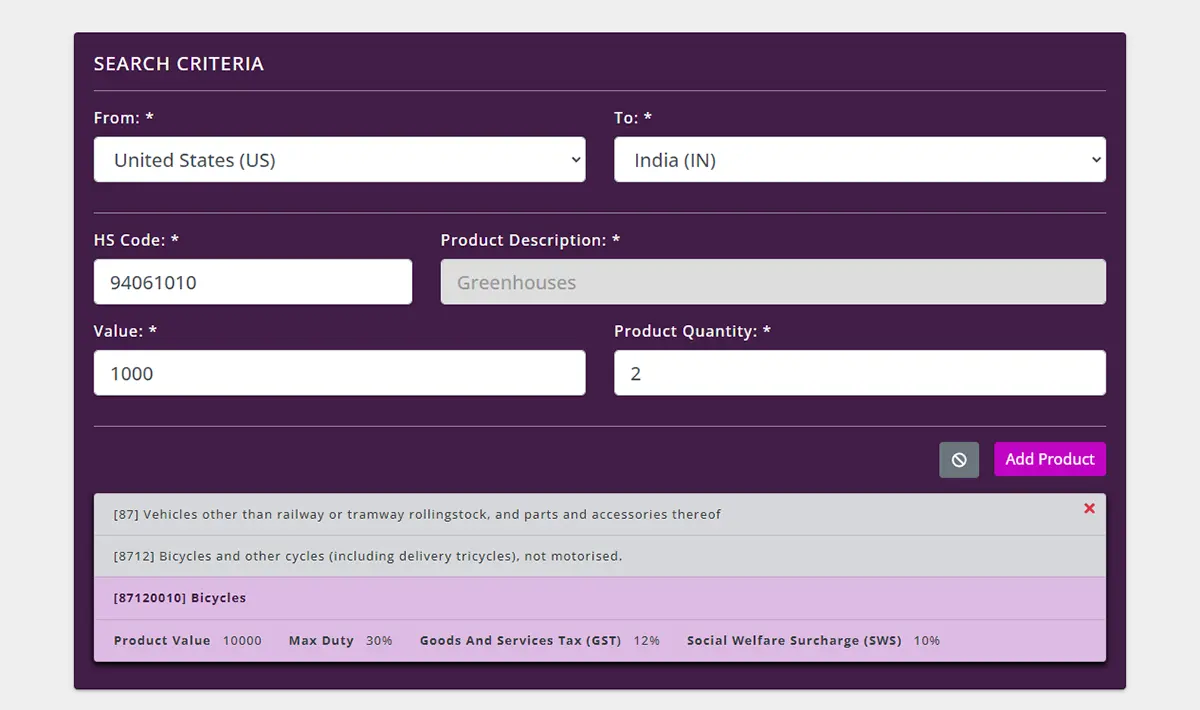
Enter information about your shipment, where it is being shipped from and to, then input the tariff code or description.
Then enter the Value and Product Quantity the click “Add Product to Search.”
Once you click on the “Add Product to Search” it will show you a summary of the import duty and any taxes that are applicable for your selected product.
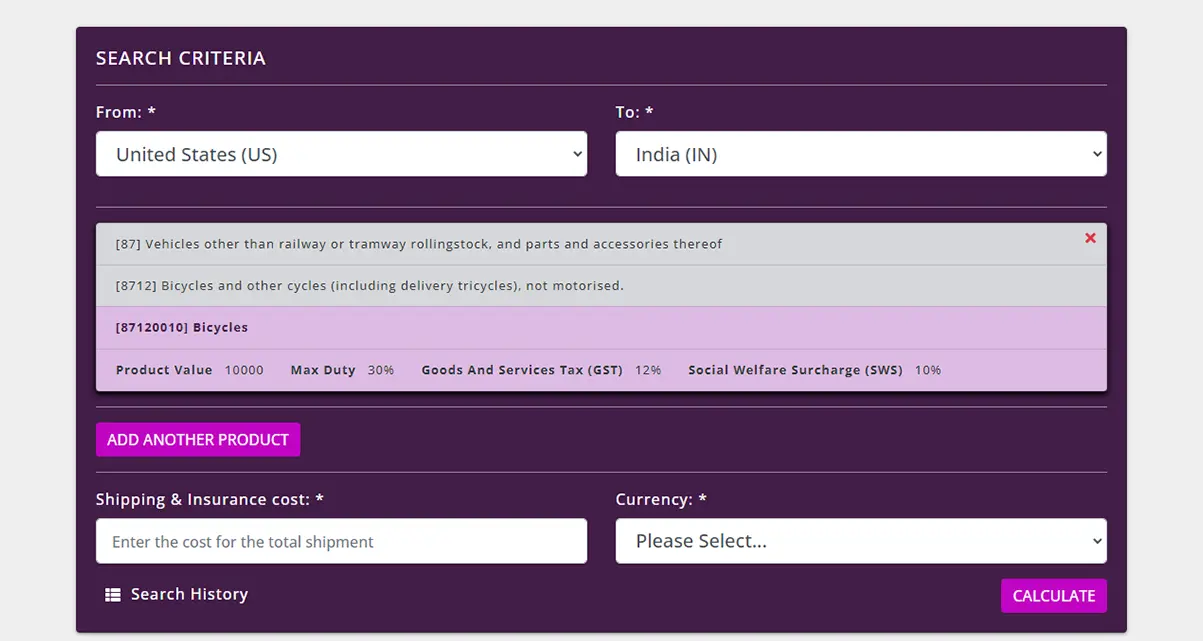
You now have the option to calculate the duties and taxes for this one product by putting in the shipping cost and the currency of the transaction. Alternatively you can “Add Another Product” and then enter the second products details.
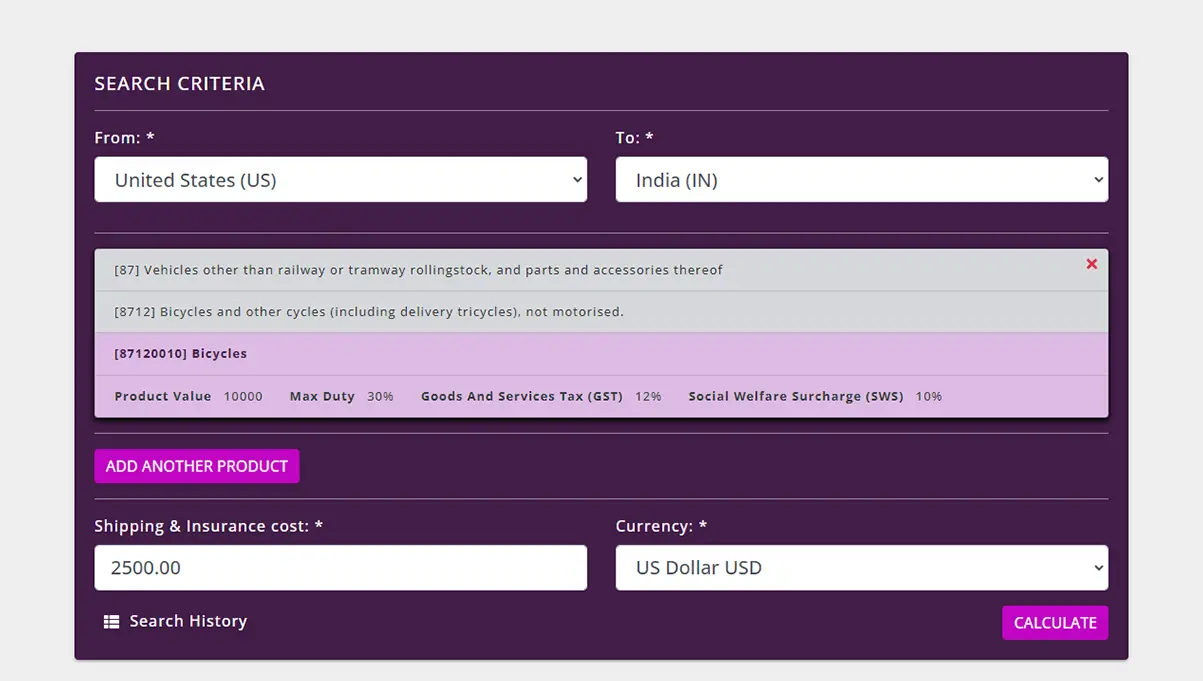
For a single line calculation, enter the shipping and Insurance cost then select the currency, click “Calculate” to find out the import cost of your items. The result will be as follows.
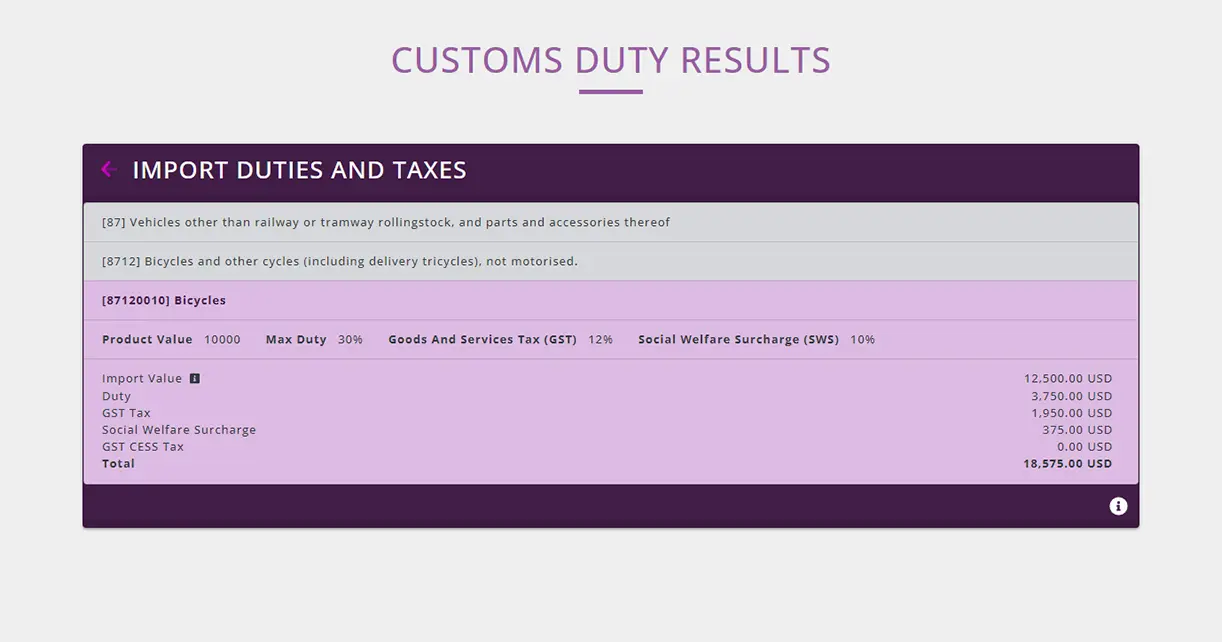
By clicking on the  icon, this will show how the import calculations have been made and any other important information about the import requirements into the country selected.
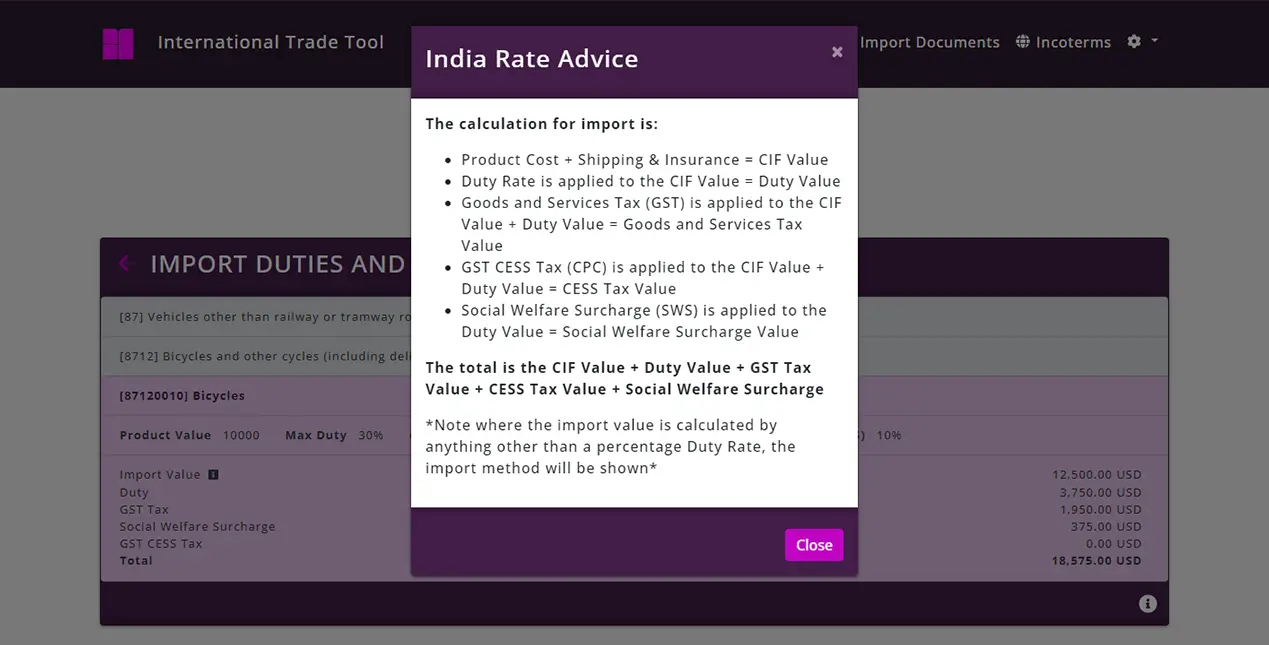
If you want to add another line to the calculation, click “ADD PRODUCT” then follow the same process and the second product will then be added to the calculation.
After adding a second product, the following shows a summary of the two products that we want to find out the import costs for.
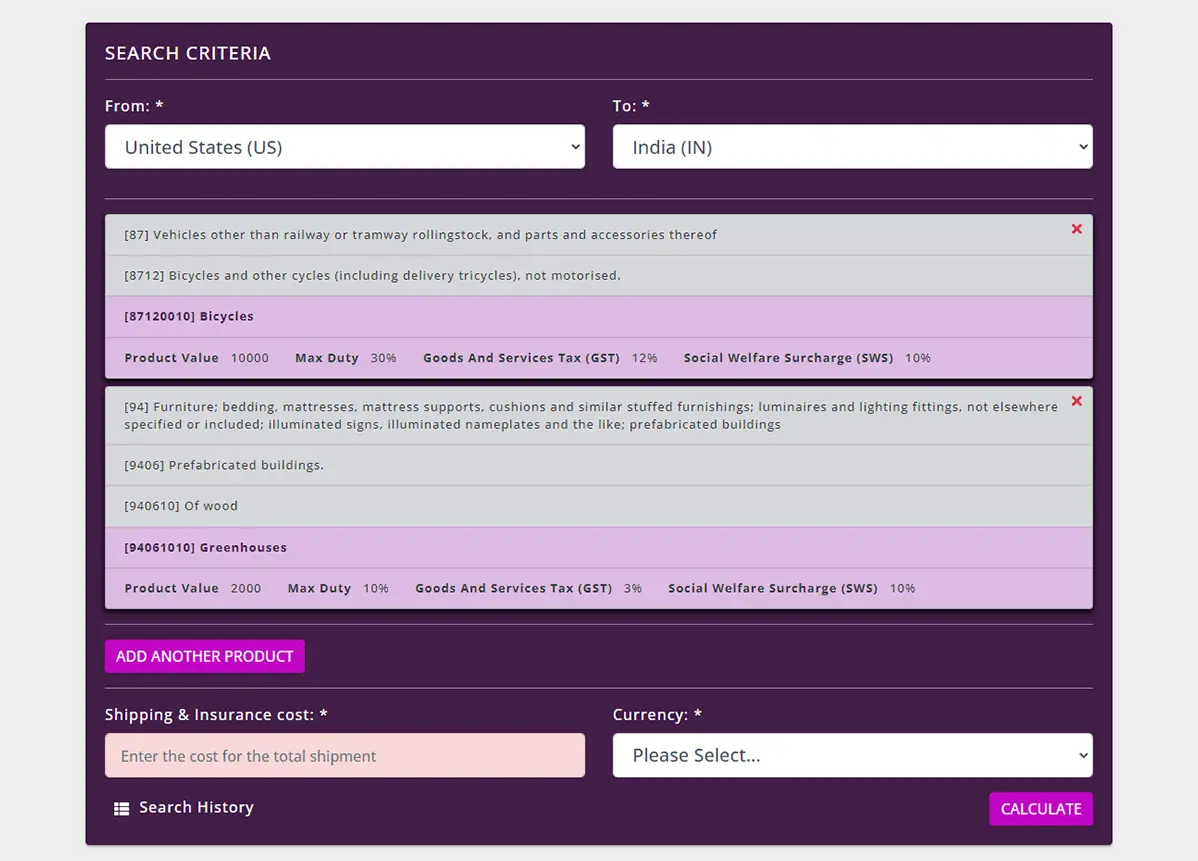
If we now enter the shipping and insurance costs and select the currency, click the “Calculate” button, it will work out the Total Landed cost for the two lines in one shipment.
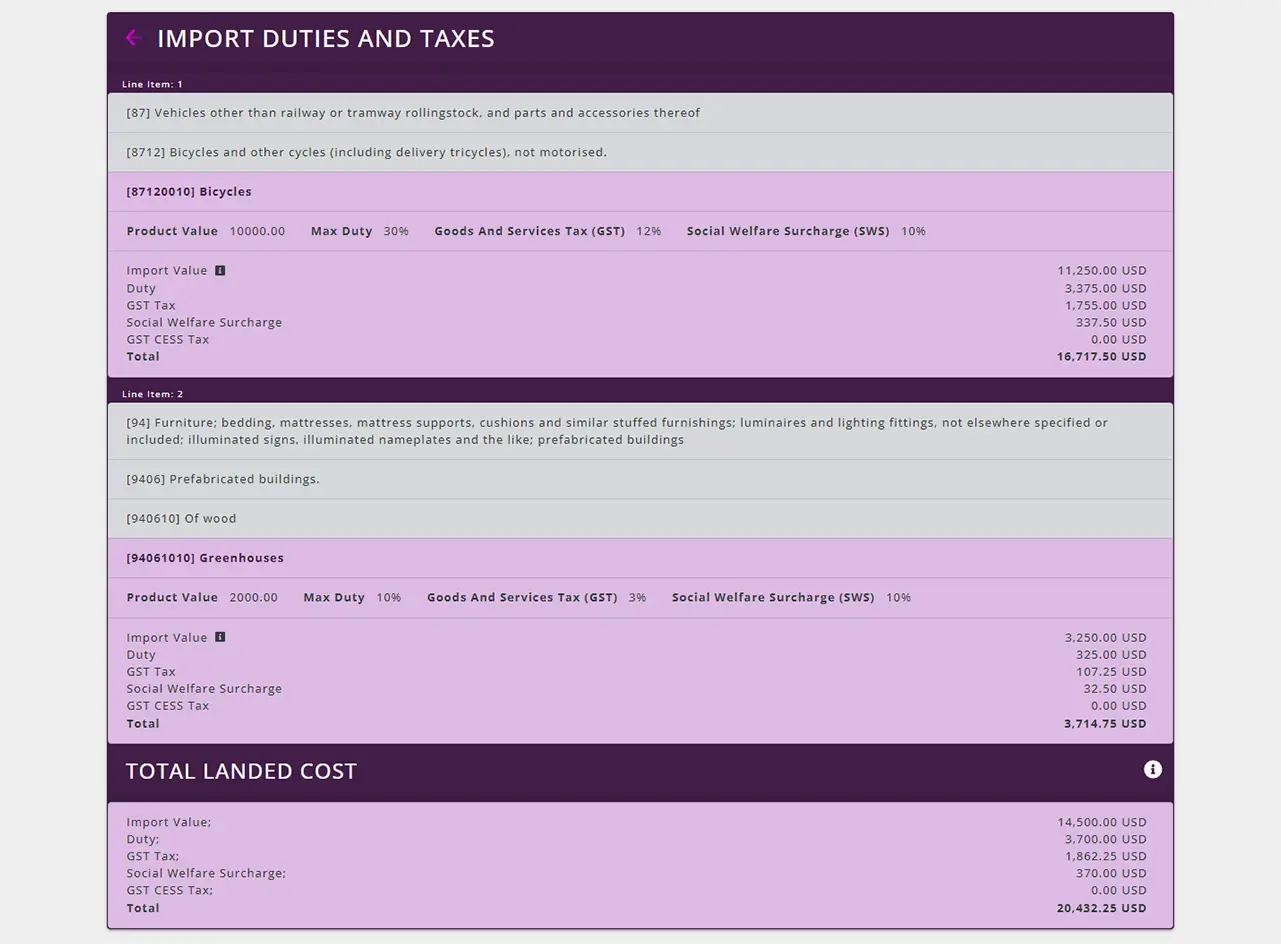
The calculator will perform calculations for up to 99 lines of product in one shipment.